Speechify Review
Speechify pairs a 4.7-star Trustpilot rating with an F from the BBB. What its 900 wpm claim really means, what Studio costs, and if $139 a year pays off.
We may earn a commission when you buy through links on this page. It never changes what we recommend, and the price you pay is the same either way. How we make money
Speechify is worth paying for if you have ADHD, dyslexia or another reading disability and need to process large volumes of text daily, or if you read or listen to two or more hours of written content a day for work. Casual readers who want the occasional article read aloud do not need a $139/year subscription; free tools cover that case. Anyone weighing Speechify Studio for voiceover work is comparing the wrong product against the wrong price.
Is Speechify Worth It?
Speechify is worth paying for if you have ADHD, dyslexia or another reading disability and process large volumes of text daily, or if you read or listen to two or more hours of written content a day for work. I landed on the same two use cases after testing it myself: accessibility and heavy content consumption. Casual readers who want the occasional article read aloud do not need a $139/year subscription, and content creators looking for voiceover generation are evaluating the wrong Speechify product entirely.
My read lines up with other reviewers. Reedsy scored Speechify 3 out of 5 for authors specifically, citing solid accessibility value against a steep price for anyone not using it daily. TextToLab ran a full pros-and-cons scorecard and landed on a similar split: strong on voice quality and accessibility, weaker on pricing value and billing practices. Neither reviewer calls it a bad product. Both call it a specific-use-case product with a billing complaint pattern worth knowing about before you subscribe.
What Is Speechify?
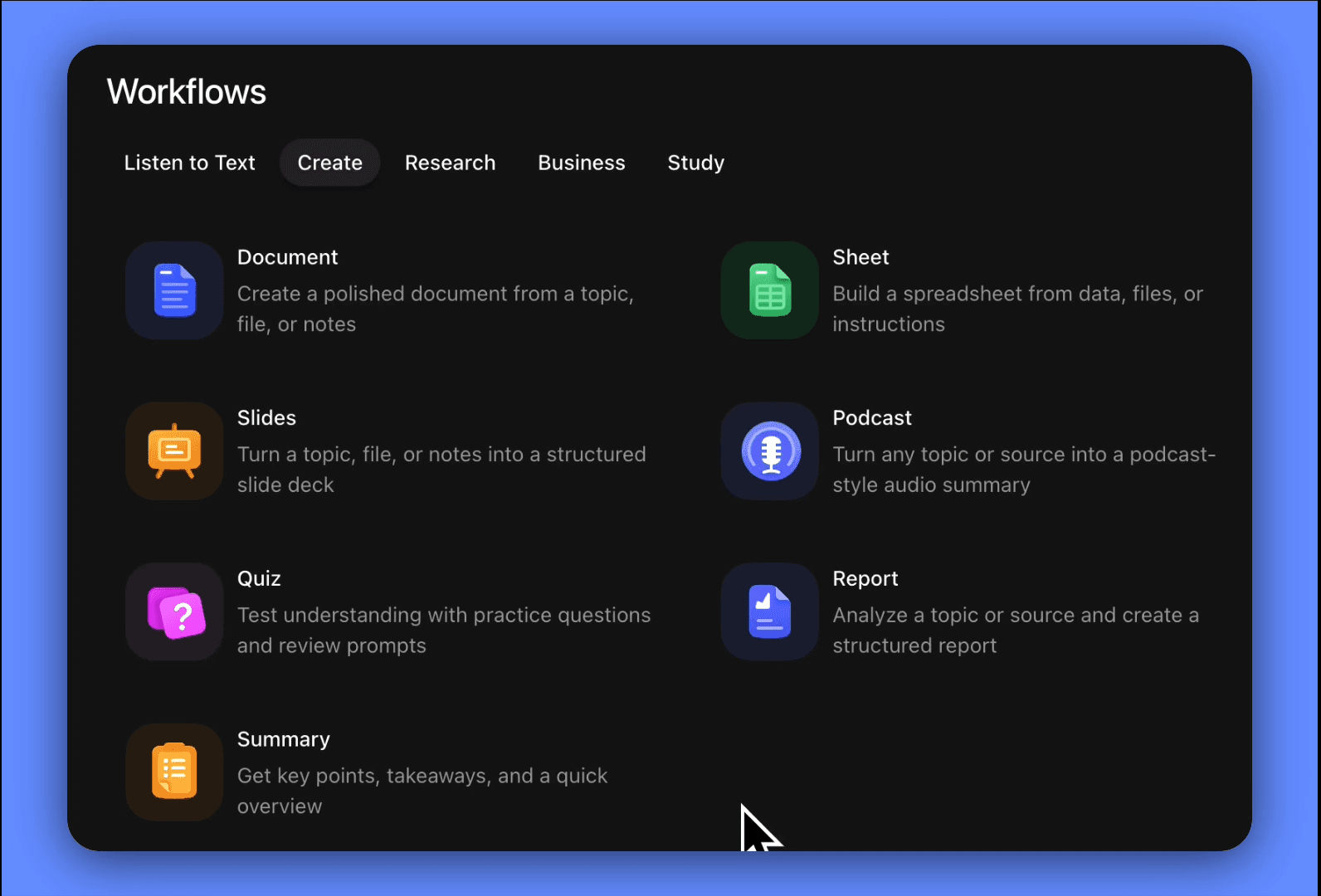
Speechify is a text-to-speech application that converts written content, including web pages, PDFs, Google Docs and scanned images, into spoken audio using AI-generated voices. It reads content aloud instead of requiring you to read it on screen, and it runs on iOS, Android, Chrome, Mac and Windows.
Cliff Weitzman founded Speechify in 2017 after building an early version to help with his own dyslexia. The company has grown to more than 55 million users and won a 2025 Apple Design Award for its accessibility features. I haven't independently verified the user count or the award myself; both come from Speechify's own account of its history.
Playback speed goes up to 4.5x, and the voice library includes more than 1,000 options, including licensed celebrity voices such as Snoop Dogg, MrBeast and Gwyneth Paltrow. On the free tier I only had access to 10 standard voices and a 1.5x speed cap. Premium unlocks the full library and speed range.
Speechify Reader vs. Speechify Studio
Speechify sells two separate products under one brand name, and confusing them is the single most common mistake buyers make. Speechify Reader is the listening tool this review covers. Speechify Studio is a different product entirely, built for creating voiceovers rather than consuming text.
What Speechify Reader Does
Speechify Reader converts existing content into audio for listening. It reads web pages, PDFs, books, emails and documents aloud, and it's the product most people searching for a "Speechify review" are actually evaluating. Reader pricing starts at the plans covered below.
What Speechify Studio Does
Speechify Studio generates new voiceover content instead of reading existing text. Studio includes a timeline editor for assigning AI voices to scripted text, and it competes directly with ElevenLabs and Murf AI rather than with reading tools like NaturalReader. Studio carries its own separate subscription, starting well below Reader's price, covered below. A Speechify Reader subscription doesn't include Studio access, and the reverse is also true.
Key Features
Speechify's core feature set centers on voice quality, browser and device integration, and OCR-based document scanning. Testing it, I found a real gap between what the marketing promises on playback speed and what I actually processed.
Voice Quality: Free vs. Premium
The premium voices sound natural and stay comfortable to listen to over long sessions; the free-tier voices sound noticeably synthetic. The premium voices handled punctuation, sentence boundaries and paragraph transitions without the robotic cadence I've heard from cheaper text-to-speech engines. Over longer listening sessions they stayed exceptionally smooth. The free voices felt basic, fine for short use and tiring beyond that.
The Chrome Extension
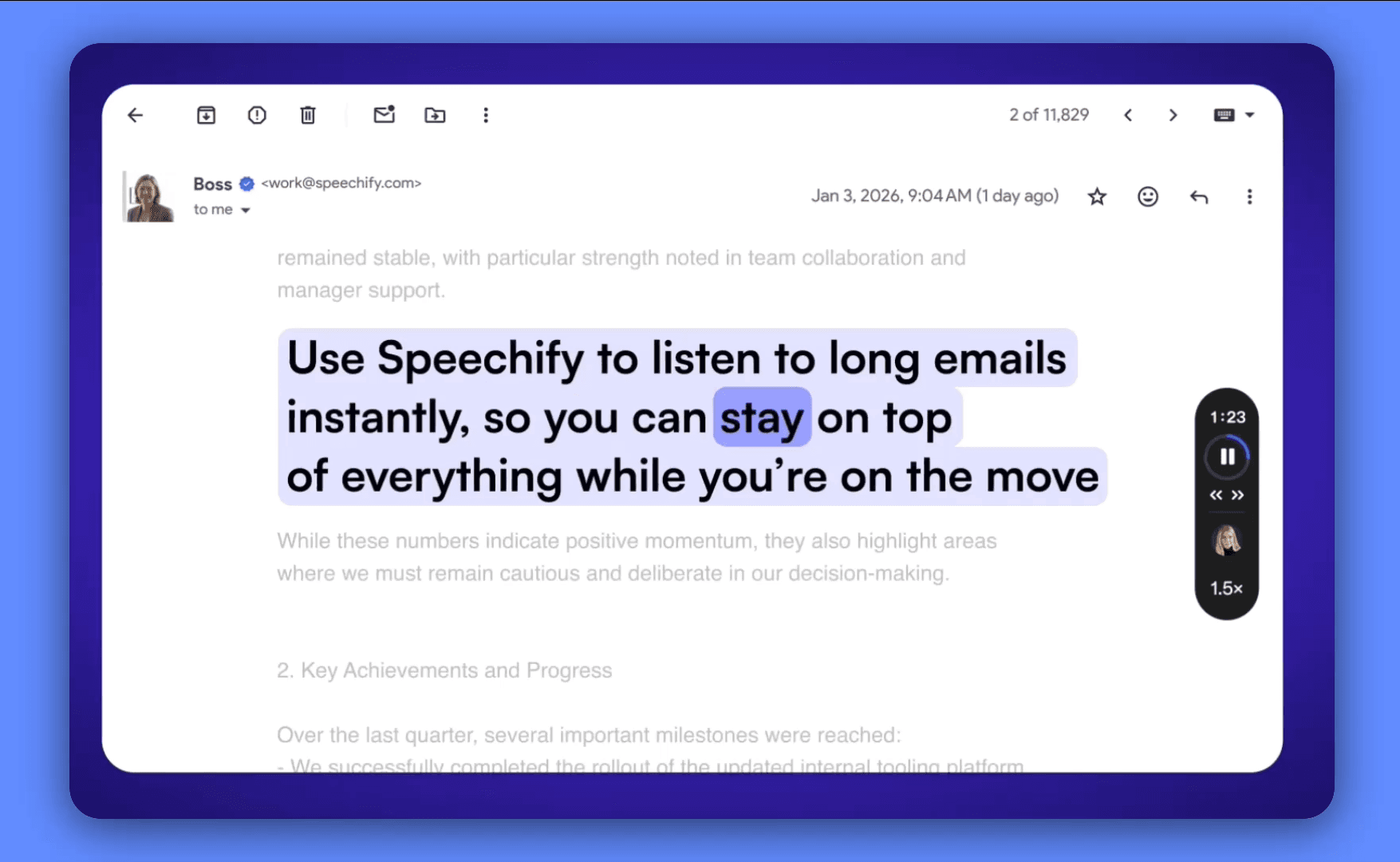
Speechify's Chrome extension adds a player to any webpage and reads the page content aloud with one click. It worked reliably on roughly 90% of the sites I tried, struggling mainly on heavily JavaScript-rendered pages and paywalled content. I used it to listen through my email inbox while doing other work, and it kept up without a hitch.
OCR and Camera Scanning
Speechify's mobile app scans physical pages and printed text using optical character recognition, then reads the result aloud. I measured roughly 95% accuracy scanning clean printed pages, dropping noticeably on handwriting and low-contrast text on colored backgrounds. I ran this on a limited set of pages, so treat the exact percentage as a ballpark rather than a lab result.
How Fast Can You Actually Listen?
Speechify advertises playback speeds up to 900 words per minute, but the real comprehension ceiling sits closer to 300 to 500 words per minute. At 200 to 300 wpm, the audio was comfortable. At 400 to 500 wpm, it got challenging but still usable. At 900 wpm, it was complete gibberish. Anything faster than roughly 3x speed became hard to follow, regardless of what the marketing claims.
Cross-Device Sync and Voice Cloning
Speechify synced my playback position across devices automatically. I started an article on my laptop, picked it up on my phone, and never had to hunt for my place, something NaturalReader doesn't do; it requires manually saving and re-finding your spot. I also cloned my own voice on the Premium plan. The quality was decent for personal use, well below the fidelity of ElevenLabs' dedicated voice-cloning tools.
Speechify Pricing
Speechify Reader and Speechify Studio carry separate pricing structures, and neither subscription includes the other product.
Speechify Reader Plans
| Plan | Price | What's Included |
|---|---|---|
| Free | $0 | 10 standard voices, 1.5x speed cap, basic text-to-speech |
| Premium (monthly) | $29/mo | 200+ HD voices, up to 4.5x speed, 60+ languages, OCR scanning, offline listening |
| Premium (annual) | $139/yr ($11.58/mo) | Same features as monthly Premium |
The $139/year price, or $29 billed monthly, held steady everywhere I checked it. Billed annually, it works out to roughly $11.58 a month, a 60% discount against paying $29 monthly across a full year. The discount requires a full upfront annual payment.
Speechify Studio Plans
| Plan | Price | What's Included |
|---|---|---|
| Studio Free | $0 | Limited generation, basic voices |
| Studio Starter | $19/mo | Voiceover generation, commercial license |
| Studio Creator | $49/mo | Advanced voices, higher limits, priority support |
I haven't independently verified these Studio figures against Speechify's current pricing page myself. Confirm them directly at speechify.com before treating them as final.
The Hidden Word Cap
Speechify's Premium tier carries a 150,000-word monthly cap on AI voice usage that isn't prominently displayed on the pricing page. I didn't come close to it in casual use. Heavy readers processing multiple full-length books a month will exceed it.
Speechify's Billing Problem
I checked Speechify's public ratings: 4.7 out of 5 on Trustpilot from more than 5,800 reviews, next to an F rating from the Better Business Bureau with more than 80 complaints on file. The two numbers describe different populations of users rather than contradicting each other directly.
Reading through the complaints, one pattern shows up again and again. Someone signs up for a free trial, tries to cancel before it ends, and gets charged for a full annual subscription anyway. Some report receiving a cancellation confirmation email and still getting charged. The same pattern turns up repeatedly across Reddit threads and Trustpilot reviews.
The complaints concentrate among people who subscribed directly through Speechify's website rather than through the Apple App Store or Google Play. Subscriptions made through an app store cancel through that store's own subscription management and, from what I found, work as expected. I haven't tested this distinction myself by signing up both ways, but it's a specific, actionable data point most reviews of Speechify skip.
Does Speechify Work With Kindle, PDFs and Audiobooks?
I confirmed Speechify supports PDF, EPUB, DOCX and plain text files. Documents upload directly or link from Google Drive, Dropbox, OneDrive or Canvas, and the OCR feature reads scanned or image-based PDFs aloud as well as native text files.
I didn't test Speechify against a book still locked inside the Kindle app itself, so I won't claim it works either way. A Kindle book exported or converted to EPUB or PDF works through Speechify's standard document import.
Who Speechify Is Right For
Speechify fits two groups well and fits almost everyone else poorly.
Best For
- Readers with ADHD or dyslexia who process large volumes of text daily. This is the use case that most clearly justifies the price
- Researchers, students, lawyers and analysts who read two or more hours of written content daily and convert idle time (commuting, exercising, chores) into listening time
- Authors who edit by ear. Reedsy's review found that listening back to a manuscript catches pacing issues, repetition and awkward phrasing that reading on screen misses
Skip It If
- You want the occasional article read aloud rather than a daily habit. Free browser tools and free text-to-speech readers cover that case without a subscription. See Free Text to Speech Tools
- You're a content creator looking for voiceover generation rather than a reading tool. That's Speechify Studio's job, and I'd point you to ElevenLabs first for that use case specifically. See ElevenLabs Review
- Budget is the primary constraint. NaturalReader offers similar core functionality at a lower published price
Speechify vs. Other Text-to-Speech Tools
NaturalReader is the most directly comparable alternative to Speechify Reader, at a lower published price. I found NaturalReader listed at $99.50/year against Speechify's $139/year, with NaturalReader supporting more languages and Speechify holding an edge in English voice quality and cross-device sync. For voice creation and cloning rather than reading, ElevenLabs and Murf AI are Speechify Studio's real competition, not Reader's. A full comparison sits in Speechify Alternatives.
Speechify Review FAQ
Is Speechify really worth it?
For readers with ADHD, dyslexia or another reading disability, and for anyone consuming two or more hours of written content daily, yes. For casual readers, the $139/year price outweighs the benefit against free alternatives.
Is there a better option than Speechify?
For pure reading at a lower price, NaturalReader is the closest direct competitor. For voice creation and cloning, ElevenLabs and Murf AI compete with Speechify Studio specifically, not with Speechify Reader. See Speechify Alternatives for the full comparison.
Which is better, Audible or Speechify?
Audible sells professionally narrated audiobooks. Speechify converts any text, including a PDF or a webpage, into AI-narrated audio on demand. They solve different problems: Audible for produced audiobook listening, Speechify for turning your own documents and articles into audio.
Can Speechify really read any book?
Speechify reads PDF, EPUB, DOCX and plain text files, plus scanned or photographed pages via OCR. I didn't confirm whether it reads a book still locked inside the Kindle app itself.
Does Speechify offer a student discount?
Speechify mentions student pricing on its site but requires contacting sales with a valid .edu email address for a custom quote. I couldn't find the discount amount listed publicly anywhere.
How do I cancel a Speechify subscription?
Cancelling through the Apple App Store or Google Play, if that's how you subscribed, works reliably through the store's own subscription management. Cancelling a subscription started directly on Speechify's website is where most of the billing complaints I read came from. Check your account settings on a desktop browser if the cancel option doesn't show up on mobile.
Ready to try Speechify?
We may earn a commission when you buy through links on this page. It never changes what we recommend, and the price you pay is the same either way. How we make money
More on Speechify
Speechify Alternatives
(keep reading)
Zencastr Review
AI Song Maker Review
ElevenLabs Review
Get the AI tool roundup.
One email a week: what launched, what is actually worth paying for, and what to cancel. No hype, no spam.
Unsubscribe any time. We never sell your email.