Kling Review
Kling AI trades speed and price for cinematic quality. My tested verdict, its benchmark score, and why one widely-cited review describes a different product.
We may earn a commission when you buy through links on this page. It never changes what we recommend, and the price you pay is the same either way. How we make money
Kling AI is worth it if cinematic quality matters more than speed or price to you.
Is Kling AI Worth It?
Kling AI is worth it if cinematic quality matters more than speed or price to you. In my testing, that holds. It's one of the strongest general-purpose video models available. It's also slow and expensive compared to faster alternatives. One rigorous benchmark rates it on par with, or slightly above, Google's Veo 3.1.
One of the four articles I found about Kling AI isn't reviewing Kling AI at all. It describes a chatbot and automation platform with image upscaling and voiceover tools, compared against Jasper AI and Zapier. Nothing in it, the features, the use cases, the pricing, matches the real Kling AI, Kuaishou's video generator. I've excluded it from this review entirely, not just discounted it.
What Kling AI Is Actually Good At
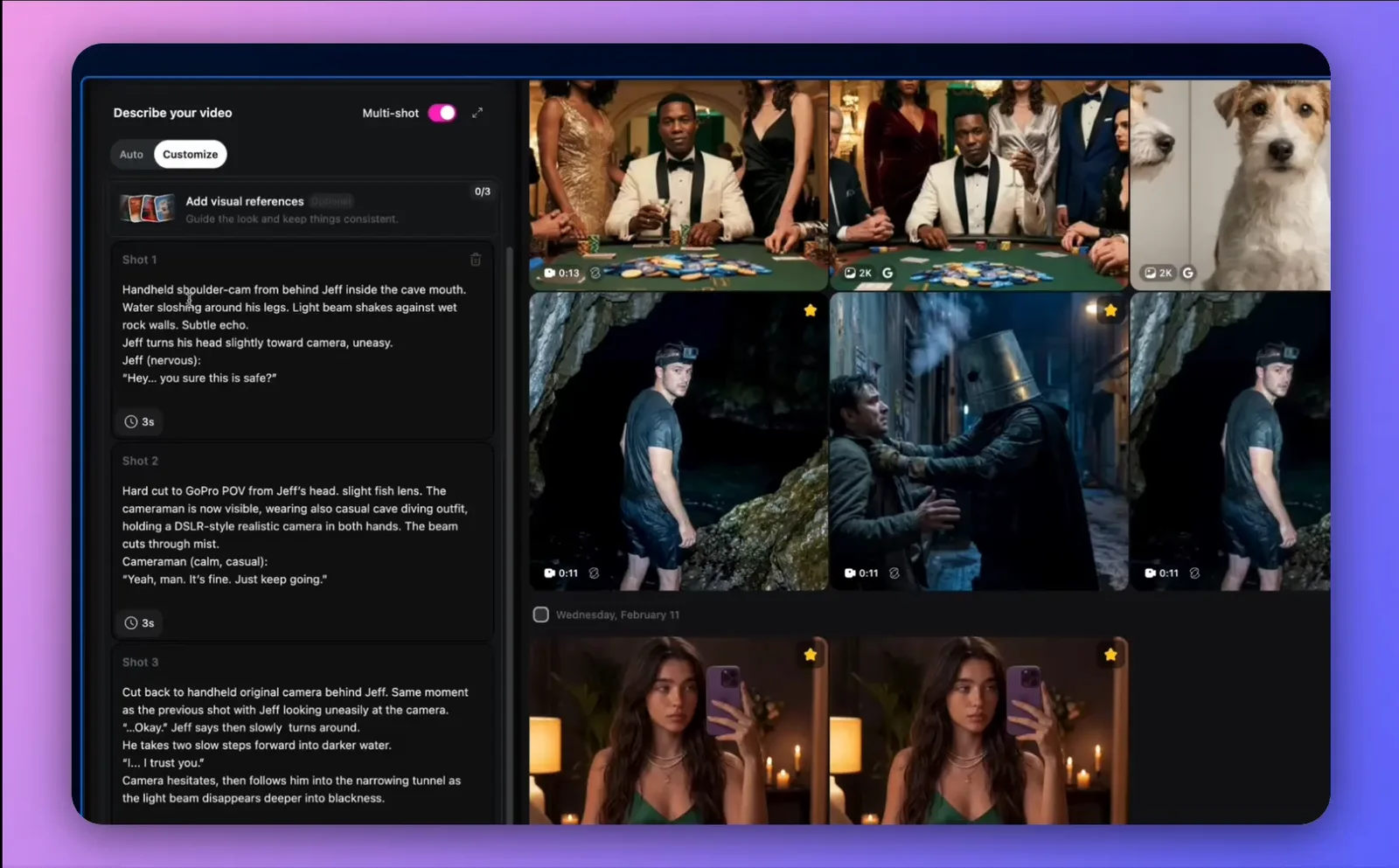
I ran tests over 48 hours, through a third-party integration platform rather than Kling's own site directly. Character and product consistency across multiple shots was the standout result. A hoodie kept its exact color and text across a close-up and a wide shot, with no morphing. Style transfer worked well too: a watercolor treatment applied to realistic footage, with none of the frame-to-frame flickering older models produced. A specific creative request, a lens flare and a seagull crossing the frame at an exact moment, was followed precisely.
In conlusion, Kling 3.0 scored highest on Visual Fidelity (8.4/10) and lowest on Style and Cinematic Realism (7.77/10). When physical consistency and literal prompt-following conflict, the model consistently favors consistency.
Where It Breaks
-
Cost was the biggest issue in my testing. High-quality generation burns through credits fast, especially across multiple attempts at one shot.
-
Render times run long. I measured 3+ minutes per clip on the higher-quality mode, against roughly 30 seconds for a faster competitor.
-
Abstract and design-heavy visuals were a weak spot in my testing; realistic, physically grounded scenes fared much better.
-
A motion-control test failed outright for me once: a full day of processing before returning a guideline-mismatch error. Kling's support refunded the lost credits, but offered no explanation of the actual guideline until asked directly.
Trustpilot reviews show a further pattern: slow customer support responses, difficulty getting refunds, and generations stalling at 99% during high-traffic periods.
Kling AI Pricing, Verified
Consumer plans start at $6.99/mo. I confirmed this directly on Kling's own app, visible without signing in.
Kling also runs a separate, usage-based developer API. It's priced per second of output, from roughly $0.084 to $0.42 depending on the model, resolution, and whether native audio is included. That's a different track from the consumer app, and not the plan most reviews describe.
However, I highly recommend using Kling through a third-party AI platform like Higgsfield rather than purchasing it directly from Kling's website. You'll still get access to the same Kling, but you'll also unlock many other powerful features and AI tools at no extra cost.
The Pricing-Creep Pattern
A detailed, first-hand Reddit account describes a pattern none of the formal reviews can show. The poster pays roughly $1,000-2,000 a year for Kling's top tier. Formal reviews are each a single snapshot in time; this account covers change over time instead. Features that used to cost little, like connecting start and end frames into one shot, now cost substantially more credits than when the poster started. Newer image-generation features launched at several times the credit cost of their predecessors.
The same poster still calls Kling the best video model available, credit costs included. The complaint is about the pricing direction, not the underlying quality. One reply pushes back directly: at least one other commenter considers Kling's pricing in line with competitors' top tiers.
Kling vs Sora, Veo and Runway
So, I tested Kling 3.0 against its closest rivals:
-
Sora 2 has stronger character consistency and prompt logic.
-
Veo 3.1 is "not as stable or as reliable" as Kling 3.0.
-
Runway has better style-transfer and experimental creative tools.
None of the three wins outright. The split comes down to which specific capability matters most for the job. A fourth direct rival in the same model class worth weighing: see my Vidu AI Review.
Related: how does Kling compare to Veo 3 specifically? See Google Veo 3 Review.
Where This Fits in the Wider AI Video Toolkit
This review sits inside the AI Video Tools section. For a wider comparison across text-to-video and image-to-video tools, see The Best AI Video Generators, Compared.
Frequently asked questions
Is Kling AI worth it?
For cinematic quality, yes. All three reviews I found rate it among the strongest video models available, and that matches my own testing. For speed or budget-conscious use, the render times and credit costs are real friction.
Is Kling AI good or bad?
Both, depending on what you're measuring. Output quality is consistently rated high. Cost, render speed, and customer support are the recurring complaints, both in the reviews and in real user reports on Trustpilot and Reddit.
Is the Kling AI app safe?
I didn't find any safety or security concerns in my testing or the three reviews I checked. The most common complaints are billing-related (unexpected charges and difficulty cancelling), not safety or data-handling issues.
Which AI is better than Kling AI?
Depends on the job. Sora 2 for character consistency and narrative logic. Runway for style-transfer and experimental editing tools. Neither replaces Kling outright. One reviewer who tested all three directly found each one better at a different specific task.
Ready to try Kling AI?
We may earn a commission when you buy through links on this page. It never changes what we recommend, and the price you pay is the same either way. How we make money
(keep reading)
Blort AI Review: Research Quality, Credits and Pricing
TopView AI Legitimacy: Reviews, What Users Report and Safety
TopView AI Alternatives: Compared by Price, Output and Fit
Get the AI tool roundup.
One email a week: what launched, what is actually worth paying for, and what to cancel. No hype, no spam.
Unsubscribe any time. We never sell your email.